 Tom Bradley
You’re checking your solar app on a sunny Tuesday morning when you notice something wrong: zero production. Or maybe your electricity bill has climbed back to pre-solar levels for no obvious reason. Whatever tipped you off, discovering your solar panels have stopped working hits different. You’re counting on that clean energy to offset your utility costs. Here’s the relief: a lot of solar system failures are either minor fixes you can handle yourself or problems easily diagnosed before you even call a technician.
This guide takes you through every likely cause of a solar system outage, from the ridiculously simple to the genuinely serious, so you can stop guessing and start getting your system back online.
Step One: Don’t Panic, Check the Obvious Stuff First
Before you assume disaster, there are several quick checks that resolve a huge chunk of “my solar stopped working” calls to installers. Technicians joke about showing up to find nothing but a tripped breaker or a monitoring glitch. Save yourself the service call by ruling these out first.
Check Your Monitoring System
Sometimes your panels are working fine. It’s just the monitoring that went dark. Your inverter’s monitoring system needs a Wi-Fi or cellular connection to report data to your app. If your router rebooted, your internet dropped, or your inverter lost its network connection, the app will show zero production while your panels are actually generating electricity.
What to do:
- Check whether your inverter display (if it has one) shows active production figures
- Look for any flashing lights or error codes on the inverter itself
- Log into your router and confirm your inverter is still connected to the network
- Try rebooting the monitoring gateway or cellular device if your system uses one
Check Your Circuit Breakers
A tripped breaker in your main electrical panel is one of the most common culprits. Solar systems typically have a dedicated circuit breaker labeled something like “Solar,” “PV System,” or “Inverter.” A power surge, grid event, or a small electrical fault can trip this breaker without you noticing.
What to do:
- Locate your main electrical panel (usually in a garage, utility room, or hallway)
- Look for any breakers in the “off” or middle (tripped) position
- Find the solar/inverter breaker specifically
- Reset it by switching it fully off, then back to the “on” position
- Also check the AC and DC disconnect switches near your inverter
Common Reasons Solar Panels Stop Working
If the simple stuff didn’t fix it, time to dig deeper. Here are the most frequent causes of solar system failures, roughly from most to least common.
Inverter Failure
| Component | Typical Lifespan | Failure Likelihood |
|---|---|---|
| Solar Panels | 25-30 years | Lower |
| Inverter (String) | 10-15 years | Higher |
| Battery System | 10-15 years | Varies |
| Wiring & Disconnects | 25-30 years | Lower |
Your inverter is the heart of your solar system. It converts the DC electricity your panels generate into the AC electricity your home actually uses. Inverters are also the component most likely to fail before everything else. Most string inverters last 10-15 years, compared to 25-30 years for the panels themselves.
Signs of inverter failure:
- Red or orange error lights on the inverter
- Error codes displayed on the inverter screen
- The inverter is completely dark or unresponsive
- Inverter is running very hot to the touch
Modern inverters often display specific fault codes that correspond to known issues. Pull up your inverter brand’s manual or website and look up any codes displayed. SolarEdge, Enphase, SMA, and Fronius all have extensive online support databases.
[RELATED: how long do solar inverters last and when to replace them]
Grid Outage or Utility Disconnect
Here’s something many homeowners don’t realize: most grid-tied solar systems shut down automatically during a power outage. This is a safety feature called “anti-islanding protection.” It prevents your system from back-feeding electricity into utility lines while workers are trying to repair them.
If your neighborhood has lost grid power, your solar system will also go offline, even on a perfectly sunny day. Unless you have a battery storage system, this is expected and normal behavior.
What to do: Check whether your neighbors have power. If the grid is down, your system will resume operation automatically once power is restored. If you want power during outages, consider adding a home battery backup system like the Tesla Powerwall or Enphase IQ Battery.
Dirty or Obstructed Panels
Soiling, accumulated dust, bird droppings, pollen, leaves, and grime, is a performance killer people consistently underestimate. A thick layer of debris can reduce panel output by 15-30% or more. In extreme cases (concentrated bird dropping on a small area, for example), a micro-crack or hot spot can develop, causing one panel to drag down an entire string.
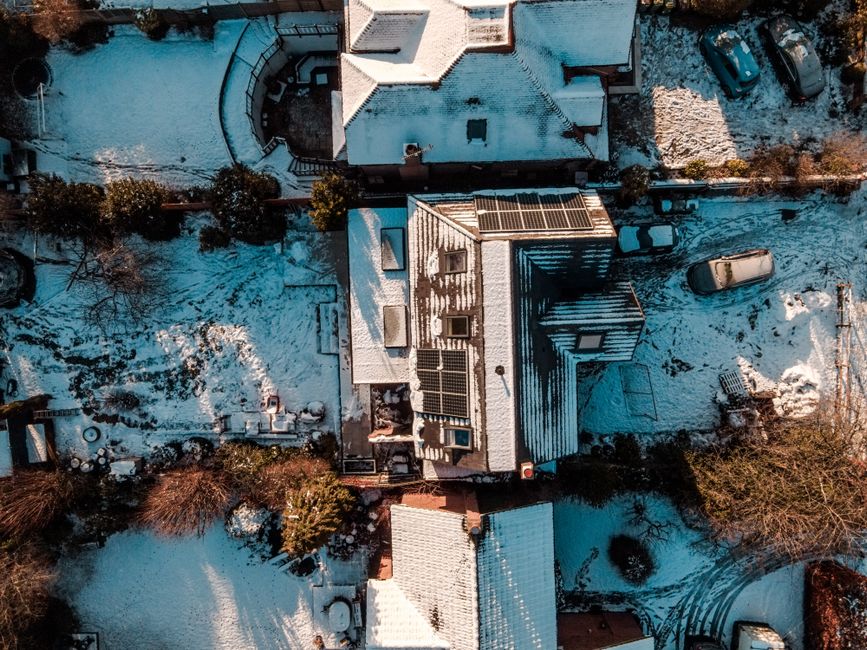
A sudden drop to zero production is unlikely from soiling alone unless the panels are completely buried in debris or snow. But significant soiling combined with other minor issues can push a system into shutdown.
What to do: Visually inspect your panels from the ground or a safe vantage point. Look for obvious debris, thick dust, or bird droppings. If cleaning is needed, use a solar panel cleaning kit designed specifically for PV modules. These typically include a soft brush, squeegee, and non-abrasive cleaning solution that won’t leave streaks or damage anti-reflective coatings.
This site may earn a commission from qualifying Amazon purchases at no extra cost to you.
[RELATED: how to safely clean your solar panels]
Shading Issues
A tree that was trimmed back when you installed your panels may have grown significantly since. A new structure, a neighbor’s addition, a pergola, a satellite dish, could all be casting a shadow you haven’t noticed. Even partial shading on one panel in a string system can dramatically reduce output from the entire string.
What to do: Visit your roof or observe your panels throughout the day, especially mid-morning through mid-afternoon when production should peak. Use a shading analysis app or talk with your installer about whether microinverters or DC power optimizers could minimize shading losses.
Damaged Wiring or Connectors
Solar systems use MC4 connectors and UV-resistant wiring rated for outdoor use, but over time, especially in climates with extreme temperature swings or high UV exposure, connectors can corrode, loosen, or even melt if there’s been any arcing. Squirrels are notorious for chewing through wiring under rooftop solar installations.
This is not a DIY repair. Damaged wiring is a serious fire and shock hazard. If you suspect wiring damage, call a licensed electrician or your solar installer.
How to Systematically Troubleshoot a Non-Working Solar System
Basic Solar Components & How They Work - Solar Panels, Inverter, Batteries, & More Explained (Ep. 2) · The Solar Lab on YouTube
Follow this step-by-step process to narrow down the problem efficiently:
Step 1: Check your monitoring app Confirm whether the issue is a monitoring glitch or actual zero production.
Step 2: Check the inverter physically Walk to your inverter and note its status lights, any error codes, and whether it feels unusually hot.
Step 3: Check all breakers and disconnects Inspect your main panel, the solar AC breaker, the DC disconnect on or near the inverter, and the rooftop combiner box if you have one.
Step 4: Confirm grid status Verify your utility has power. Call your power company’s outage line or check their app.
Step 5: Do a visual inspection of panels From a safe position, look for obvious shading, debris, damage, or anything that looks different.
Step 6: Review production history Most monitoring platforms show daily, weekly, and monthly production history. A gradual decline tells a different story than a sudden drop.
Step 7: Document everything Write down error codes, take photos, and note the date and conditions when you first noticed the problem. This information will be invaluable when you call your installer or warranty provider.
Step 8: Call your installer or a qualified solar technician If the above steps haven’t resolved the issue, it’s time for a professional. Most reputable installers offer maintenance and service contracts.
Solar System Problem Comparison: DIY vs. Professional Fix
| Problem | Can I Fix It Myself? | Typical Cost to Fix | Urgency |
|---|---|---|---|
| Monitoring app connectivity issue | ✅ Yes | Free | Low |
| Tripped breaker or disconnect | ✅ Yes | Free | Medium |
| Dirty/soiled panels | ✅ Yes | $10-$50 (cleaning kit) | Low-Medium |
| Snow coverage | ✅ Yes (carefully) | Free | Medium |
| Inverter error code | Partial (reset only) | $0-$2,500+ | High |
| Full inverter replacement | ❌ No | $1,000-$3,500 | High |
| Wiring or connector damage | ❌ No | $200-$1,000+ | Very High |
| Panel microcracks or damage | ❌ No | $150-$400/panel | High |
| Grid outage (anti-islanding) | ✅ Wait for grid | Free | Medium |
| Shading from new growth | Partial (trim trees) | $100-$500+ | Medium |
When to Call a Professional (And What to Tell Them)
Some issues genuinely require a licensed professional, not just because they’re complicated, but because working with live electrical systems and rooftop equipment is dangerous. Here’s when to stop DIYing immediately:
- You see burn marks, melted components, or smell something electrical burning
- Your inverter is completely dead and unresponsive despite power being present
- You suspect rodent damage to wiring
- Your system is still under warranty (DIY repairs can void warranties)
- Production has been declining gradually for months, this can indicate a more systemic issue
When you call, have ready:
- Your system brand and model (inverter, panel brands)
- Installation date and installer name
- Any error codes displayed
- A screenshot or download of your recent production history
- Your warranty documentation
Many homeowners benefit from investing in a whole-home energy monitor like Sense or Emporia that provides circuit-level data independent of your solar monitoring system. This makes it much easier to detect when production has dropped and by how much.
[RELATED: best home energy monitors for solar households]
Protecting Your System to Prevent Future Outages
Once you’ve resolved your current issue, it’s worth taking steps to reduce the likelihood of it happening again.
Schedule annual inspections: Most solar warranties and performance guarantees include or recommend periodic professional inspections. An annual check-up can catch loose connections, early inverter issues, and panel degradation before they become full outages.
Set up production alerts: Most monitoring platforms (Enphase Enlighten, SolarEdge, SunPower mySunPower) allow you to configure email or push notification alerts if production drops below a threshold. Turn these on. They’re your early warning system.
Keep panels clean: In dusty or high-pollen areas, consider cleaning your panels two to four times per year. A quality solar panel cleaning brush kit with an extendable handle lets you clean most panels from the ground safely.
Protect wiring from wildlife: Ask your installer about critter guards, wire mesh barriers that prevent squirrels, birds, and other animals from accessing the underside of your panels and chewing wiring.
Consider battery storage: If outages are a recurring frustration, whether from grid events or panel issues, pairing your solar system with a home battery means you maintain power even when the system is interrupted. [RELATED: is a home battery backup worth it for your solar system]
Frequently Asked Questions
Q: My solar panels stopped working after a storm. What should I check first?
Storms cause several issues simultaneously: tripped breakers from power surges, inverter shutdowns due to grid events, physical debris on panels, and in severe cases, actual physical damage. Start by checking your circuit breakers and inverter status after the storm passes and the grid is restored. Then do a careful visual inspection of panels and visible wiring for any obvious physical damage. If you suspect lightning struck near your system, call a professional. Surge damage to inverters and monitoring equipment is common after nearby lightning strikes and often isn’t visually apparent.
Photo by Kindel Media on Pexels
Sources
- home battery backup system like the Tesla Powerwall or Enphase IQ Battery
- solar panel cleaning kit
- whole-home energy monitor like Sense or Emporia
- solar panel cleaning brush kit
Disclosure: As an Amazon Associate, we earn a small commission from qualifying purchases at no extra cost to you. We only recommend products that genuinely support the topics covered in this article.
- Renogy 200W Solar Starter Kit + 30A Charge Controller (~$169), Complete beginner solar kit, 200W monocrystalline panel, charge controller, and mounting hardware included.
- Renogy 2×100W Monocrystalline Solar Panels (~$99), Expandable 200W panel set from the most trusted DIY solar brand, used widely in off-grid and home backup systems.
Recommended Resources
Disclosure: As an Amazon Associate, we earn a small commission from qualifying purchases at no extra cost to you. We only recommend products that genuinely support the topics covered in this article.
- Renogy 200W Solar Starter Kit + 30A Charge Controller (~$169), Complete beginner solar kit, 200W monocrystalline panel, charge controller, and mounting hardware included.
- Renogy 2×100W Monocrystalline Solar Panels (~$99), Expandable 200W panel set from the most trusted DIY solar brand, used widely in off-grid and home backup systems.